RoboPlan ROS Examples
As noted in Design Philosophy, RoboPlan ROS is not intended to provide monolithic solutions that fit all planning applications. The packages in the roboplan_ros_examples folder provide jumping off points for Developers looking to use RoboPlan in ROS 2 environments. Each example is a self-contained application that demonstrates a specific workflow.
Most examples use ros2_control mock hardware, so no physical robot is required to run them.
There is also a dynamic simulation example using MuJoCo.
Sample RRT Plan and Execute
This example demonstrates a complete plan-preview-execute loop using RRT motion planning with the Franka FR3 arm.
The example uses an interactive marker in RViz along with ROS Trigger services to:
Set a target pose by dragging the interactive marker in the RViz panel.
Plan a trajectory by right clicking and pressing “Plan”, or by calling the
/plan_and_execute_node/planservice.Preview the planned trajectory by pressing “Preview”, or by calling the
/plan_and_execute_node/previewservice.Execute the trajectory by pressing “Execute”, or by calling the
/plan_and_execute_node/executeservice. This wraps a call to the FR3’sJointTrajectoryController.Reset the iMarker by pressing “Reset”, or by calling the
/plan_and_execute_node/resetservice.Open Gripper and Close Gripper entries, also available as the
~/open_gripperand~/close_gripperservices.
To launch the demo,
ros2 launch roboplan_ros_franka franka_example_planning.launch.yaml
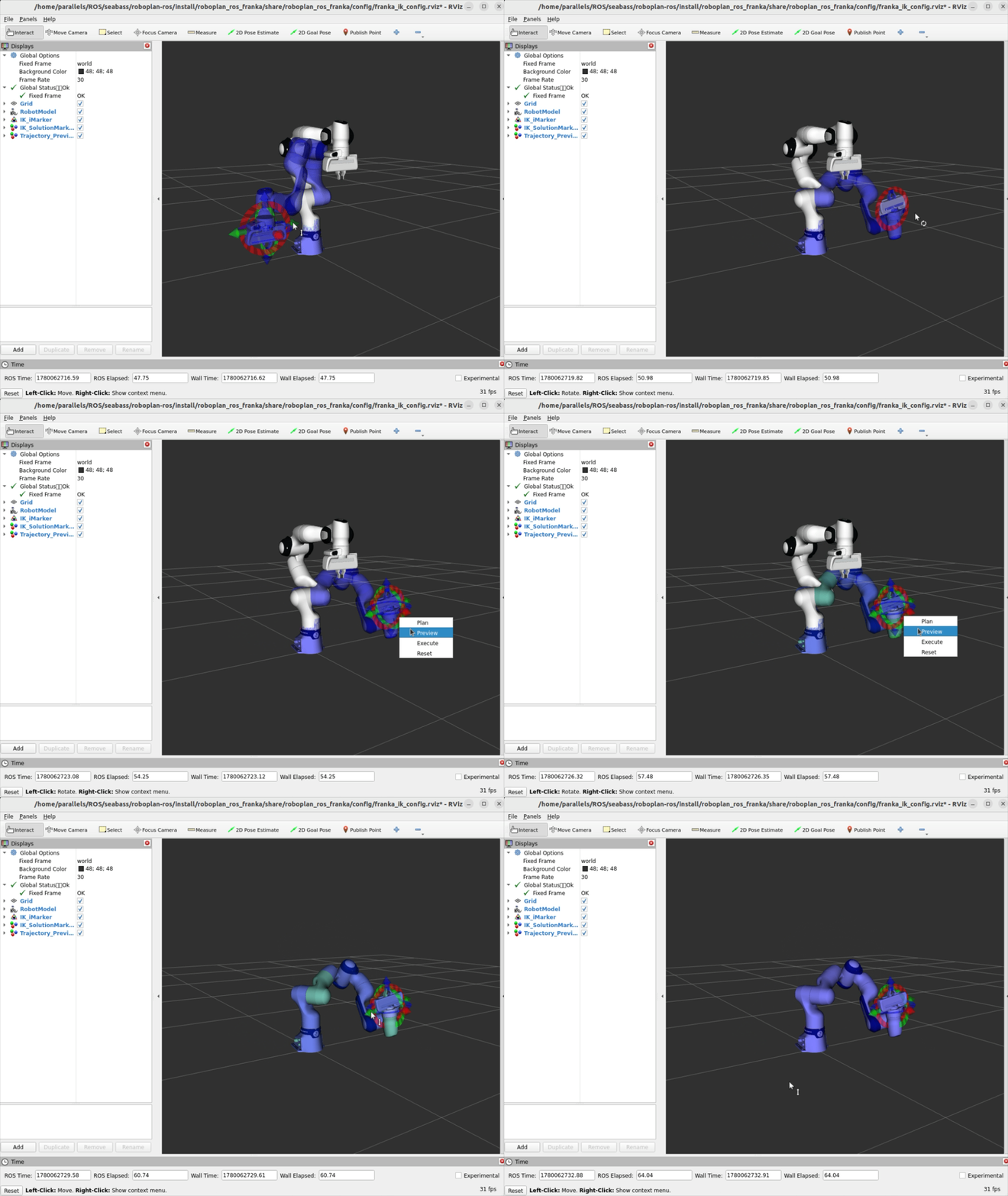
Sample RRT planning and execution with the Franka FR3 arm.
Sample Cartesian Servoing with OInK
This example demonstrates real-time Cartesian servoing using OInK (Optimal Inverse Kinematics) with the Franka FR3 arm.
A background control loop continuously solves a single-step IK optimization, then publishes joint commands directly to track the interactive marker’s pose. The solver uses a prioritized task hierarchy:
Priority 1: A frame task tracks the end-effector pose set by the interactive marker.
Priority 2: A configuration task that regularizes toward the starting joint configuration.
Joint position and velocity limits are enforced as QP constraints.
A collision avoidance barrier can also be enabled with the avoid_collisions launch argument, which keeps the arm clear of self-collisions and any scene obstacles.
To launch the demo,
ros2 launch roboplan_ros_franka franka_optimal_ik_streaming.launch.yaml
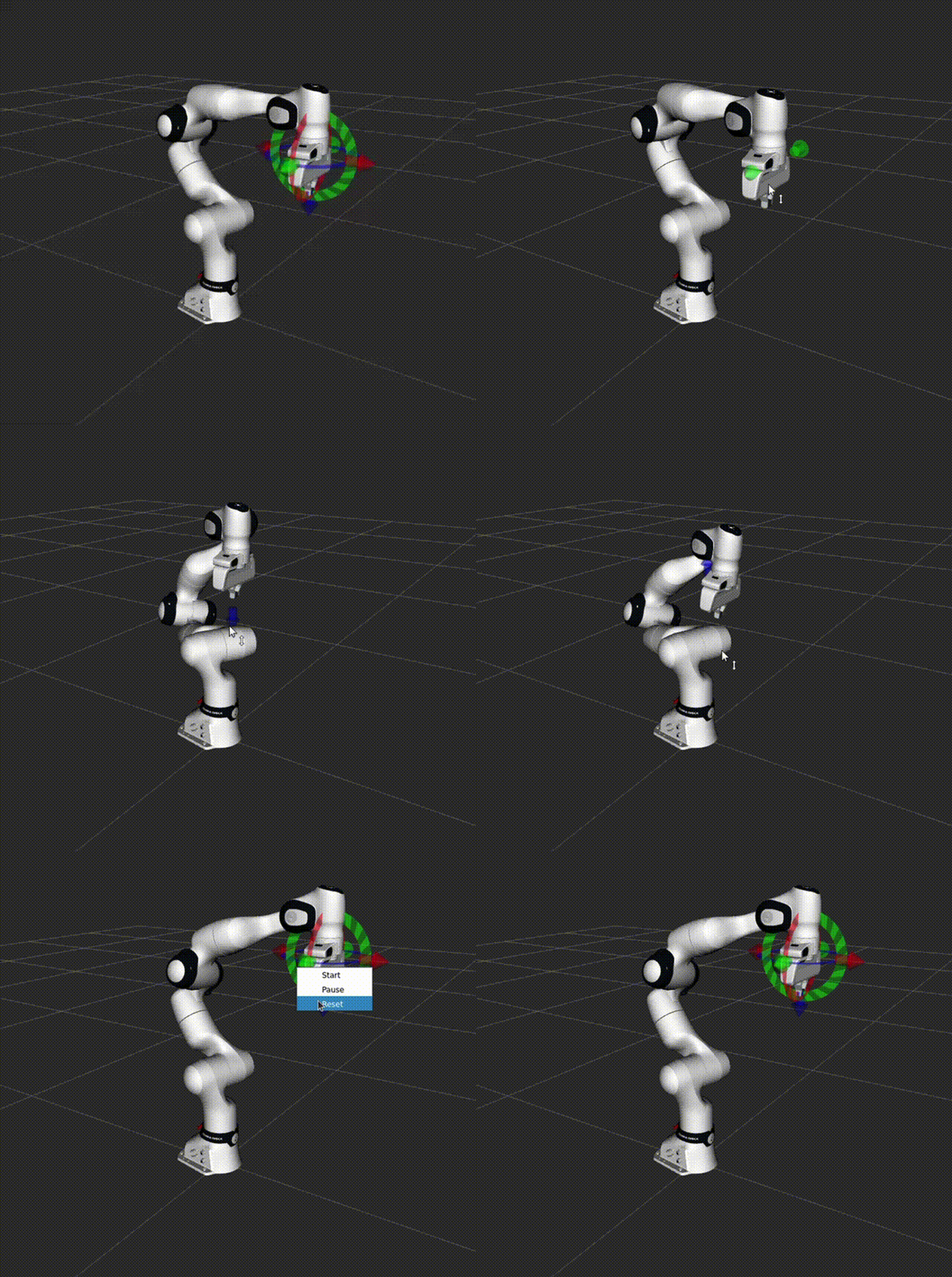
Sample OInK pose tracking with the Franka FR3 arm.
Dynamic Simulation with MuJoCo
The examples can also run against a dynamic simulation using mujoco_ros2_control, rather than mock hardware.
The MuJoCo model (MJCF) is auto-generated from the FR3 URDF at launch time using the robot_description_to_mjcf.sh conversion script from mujoco_ros2_control.
Actuators and the coupled gripper tendon are defined in description/fr3_mujoco_inputs.xml, and a tabletop scene with a graspable cube is merged in from description/fr3_mujoco_scene.xml.
The table is also added to the RoboPlan planning scene (config/fr3_mujoco_obstacles.yaml), so IK and RRT planning avoid it.
To grasp the cube, move the marker to a pre-grasp pose above the cube and then select “Close Gripper”.
To launch the demos, set the hardware_type:=mujoco launch argument.
ros2 launch roboplan_ros_franka franka_example_planning.launch.yaml hardware_type:=mujoco

ros2 launch roboplan_ros_franka franka_optimal_ik_streaming.launch.yaml hardware_type:=mujoco